Creating 'in:frequency'
Published on May 16, 2026 by Caer Sanders
This April, I competed in Ludum Dare, a biannual event that challenges game developers to create an entire game in a weekend. This log is a behind-the-scenes look at how I created my third game, in:frequency, during the event.
But before I start rambling, play in:frequency in your browser right here:
Day One: Concept
Having survived two game jams so far, I've learned I like spending the first day of Ludum Dare on my core game concept and mapping it to the jam theme.
I bring an initial goal with me to every challenge.
Throughout all my game jams so far, I've used my own custom-made Rust game engine. I designed this engine primarily for 2.5D "isometric" worlds. For this jam, I wanted to stretch my engine into a third dimension...and also use a new art style.
Ludum Dare #59's theme was Signal. For some reason, I immediately felt a strong association between the ideas of signals and mountains.
What if I did something inspired by topographic maps?
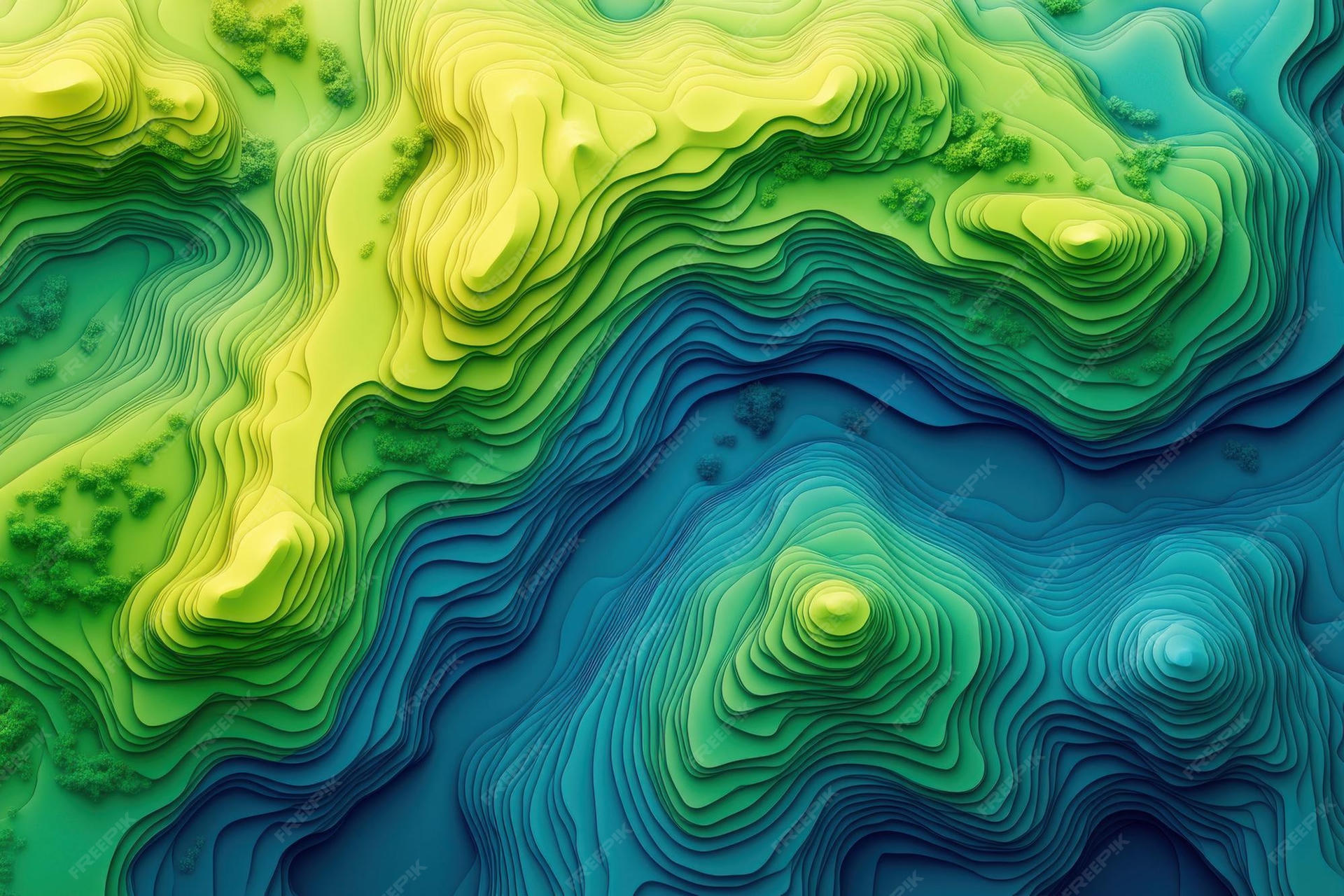
I stumbled upon the stock image above while searching the web for inspo—and this image would quickly become a core reference for the game's visual style.
The World Concept
"What's the conceptual vibe of the game world?"
What if signals could be used as the terrain for an entire world? If terrain is a signal, then surely other signals could deform that terrain.
And thus the core concept was born: Players navigate a topographic map, tuning to different radio frequencies to cast waves that reshape the terrain and create paths to a beacon.
The Mechanical Concept
"What's the core mechanic the player uses to engage with the world?"
With the world concept drafted, I moved on to drafting the gameplay mechanics—usually a set of high-level bullet points that guide the implementation:
Each map contains one beacon. The beacon is separated from the player by terrain they cannot cross directly.
The player can navigate terrain within some delta-height of their current position (e.g., a slight hill, but not a sheer cliff).
Directed casts modify the topography and enable the player to reach the beacon.
Settled casts stack additively into the terrain. Two crests aligned build a higher ridge; a crest landing on a trough cancels into flat, walkable ground.
The player can cast up to three waves per map. Once the limit is reached, the newest cast replaces the oldest.
The player has a continuous tunable frequency that determines the terrain pattern:
Lower frequencies have a long wavelength with widely-spaced crests, creating broad and gentle terrain changes that travel a great distance.
Higher frequencies have a short wavelength with tightly-spaced crests, creating sharp peaks and dramatic terrain changes that travel a short distance.
While tuning, a preview shows how the next cast would affect the current topography.
I had some stretch goals, too—a big one was multiplayer co-presence: Players could share a global instance of each map. Players on the same frequency can interact; players on nearby frequencies appear as faint ghosts to one another.
Unfortunately, time is at a premium in a game jam, so this goal stayed unmet.
The Aesthetic Concept
"How do the world and mechanics come to life?"
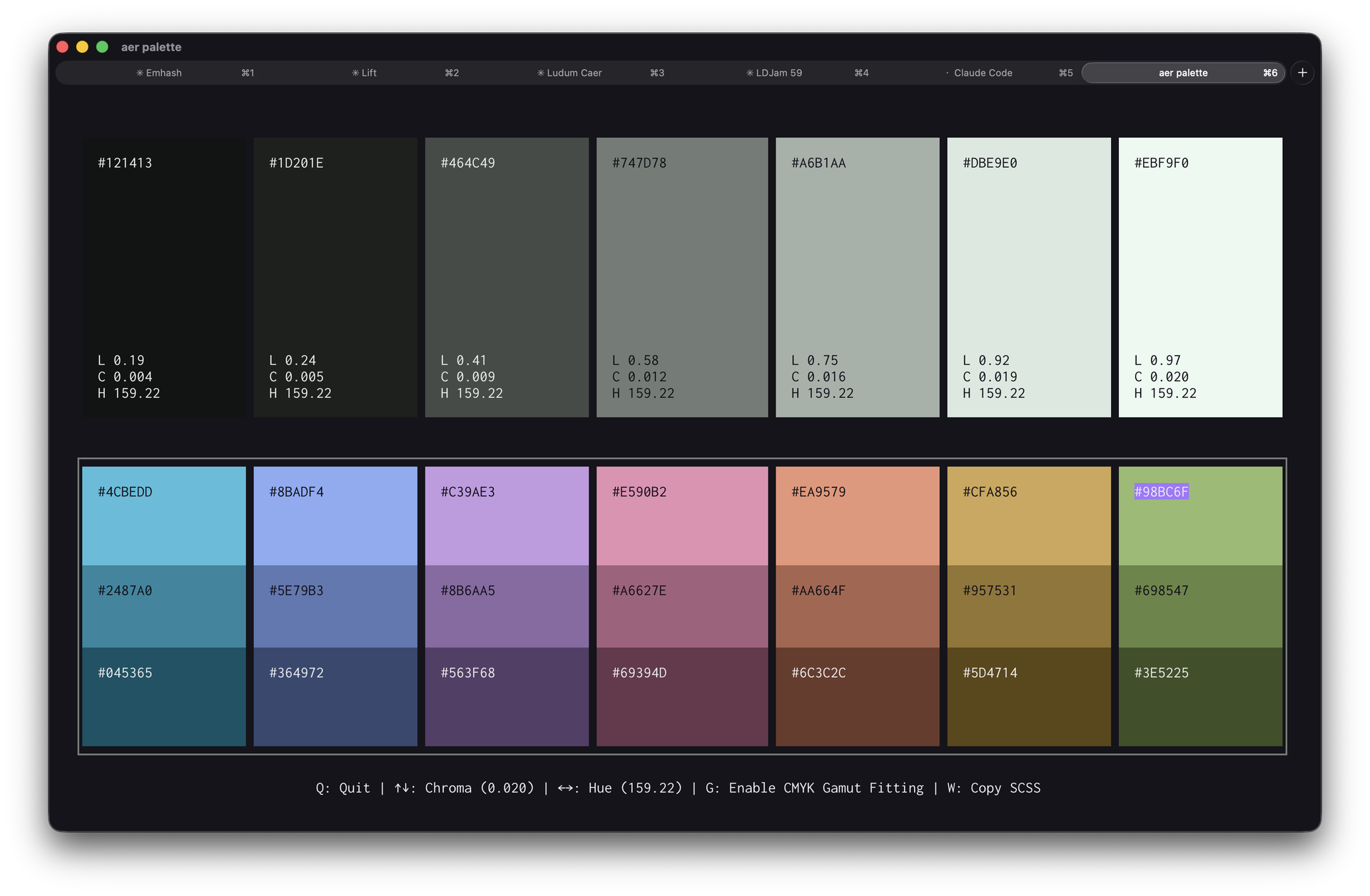
With the world and mechanics in place, I started working on the most important visual aspect of my games: The color palette! Using Aer, I whipped up a nice set of greenish neutrals and vibrant accents:
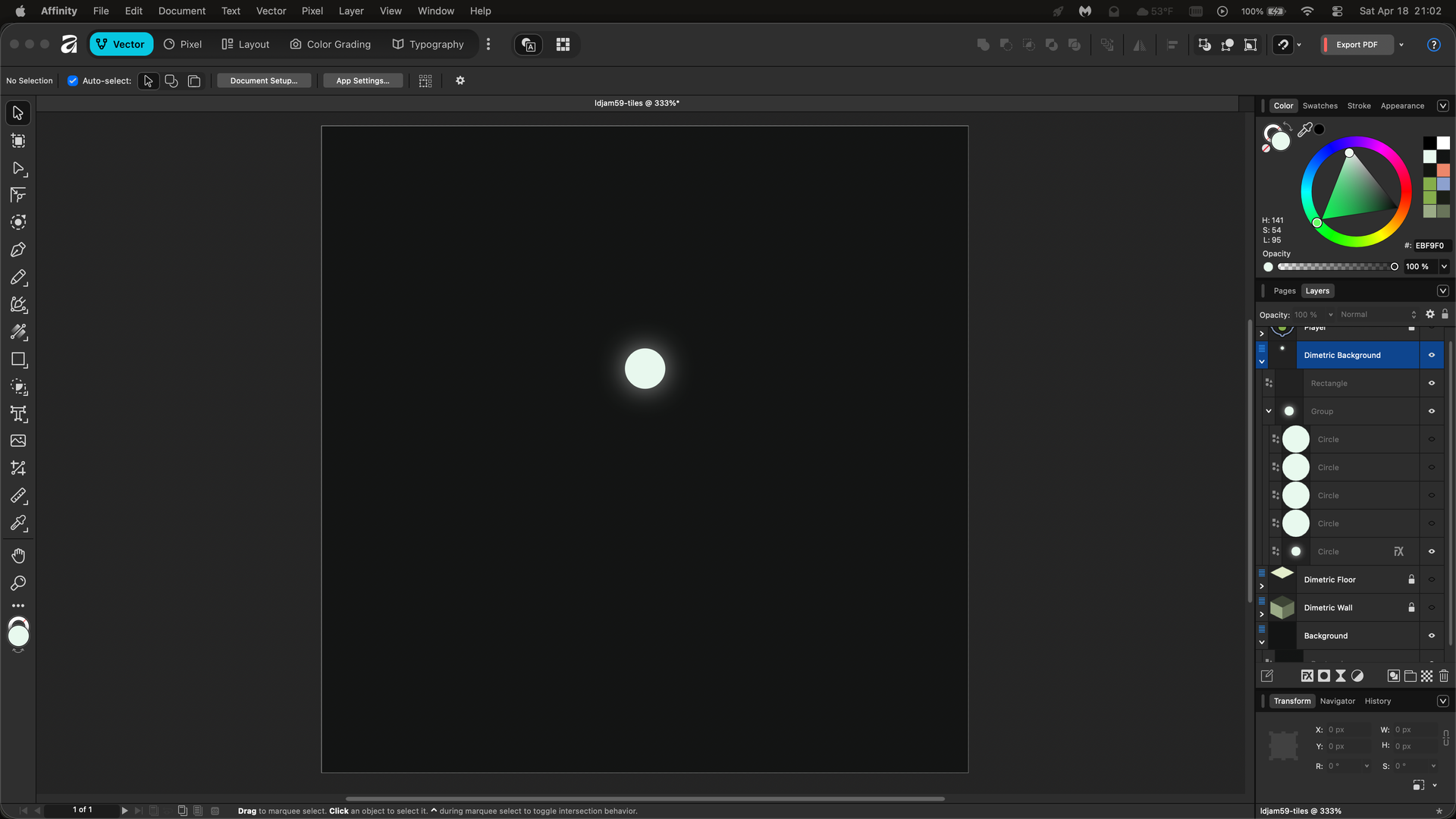
Unlike my past entries, I wanted to build a landscape that felt alive—less blocky. So, I replaced my typical square floor tiles with subtle motes of light:
Initially, I planned to simply show the terrain being deformed by coloring motes of light based on their relative height (so that valleys are blue and mountains are green):
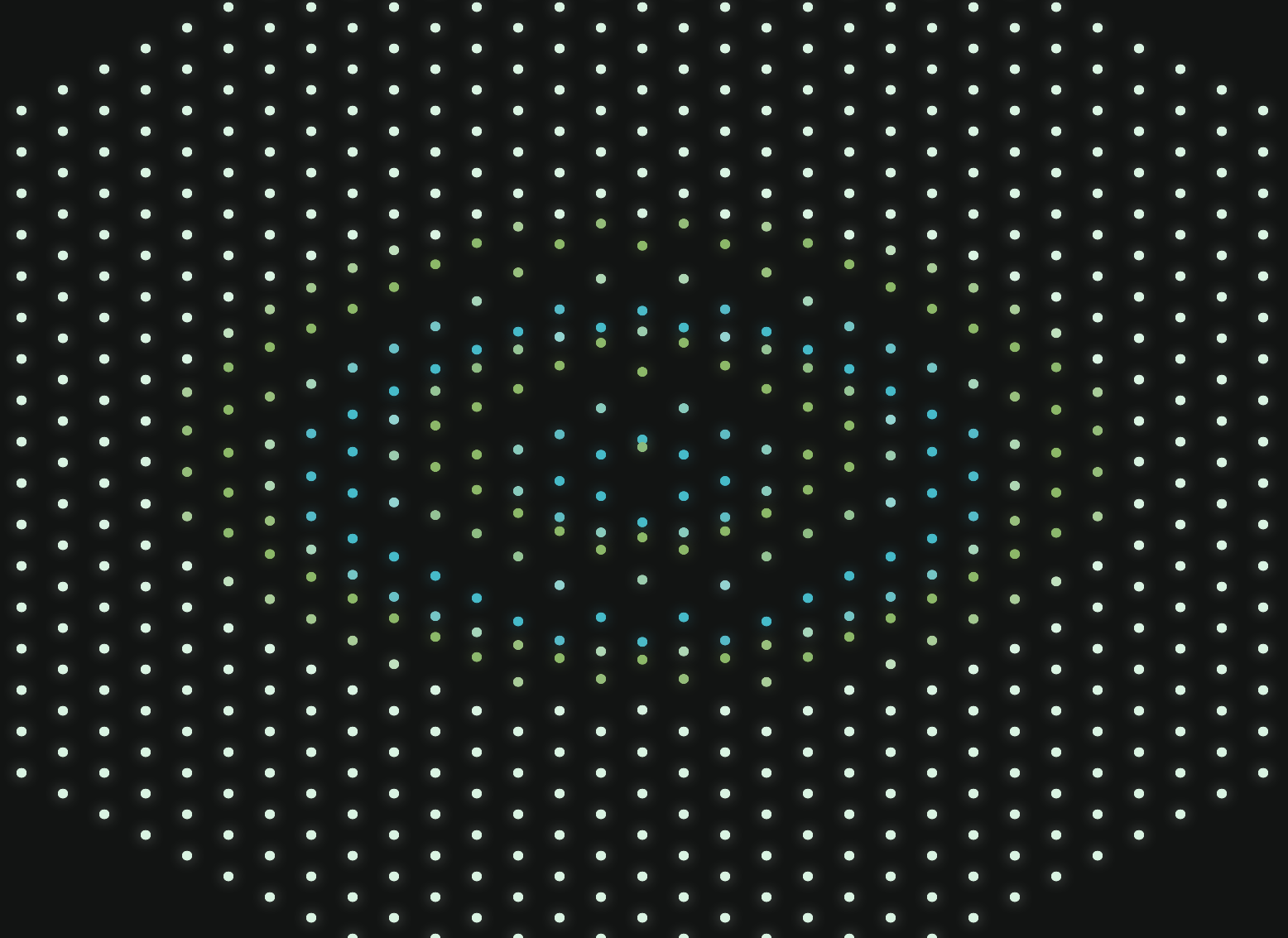
Unfortunately, this visualization was really hard to interpret. So I decided to start playing with drawing actual contour lines over the grid to make the terrain clearer.
The First Signal
Fortunately, my game engine already had utilities to convert world-space points to isometric screen-space coordinates—including Z offsets to add an illusion of height.
To draw my topographic contour lines, I:
Use a radial sine algorithm to create a continuous field radiating from a point.
I sample points on circles at fixed radiuses on this field to get a list of
x, y, zcoordinates, wherex, yis the point, andzis the sine's amplitude at that point.I then use a polyline algorithm to connect the points for each radius, and use Chaikin Smoothing to smooth the line.
Finally, I render the smoothed circles in isometric space, offset by their z height to create the 3D illusion:
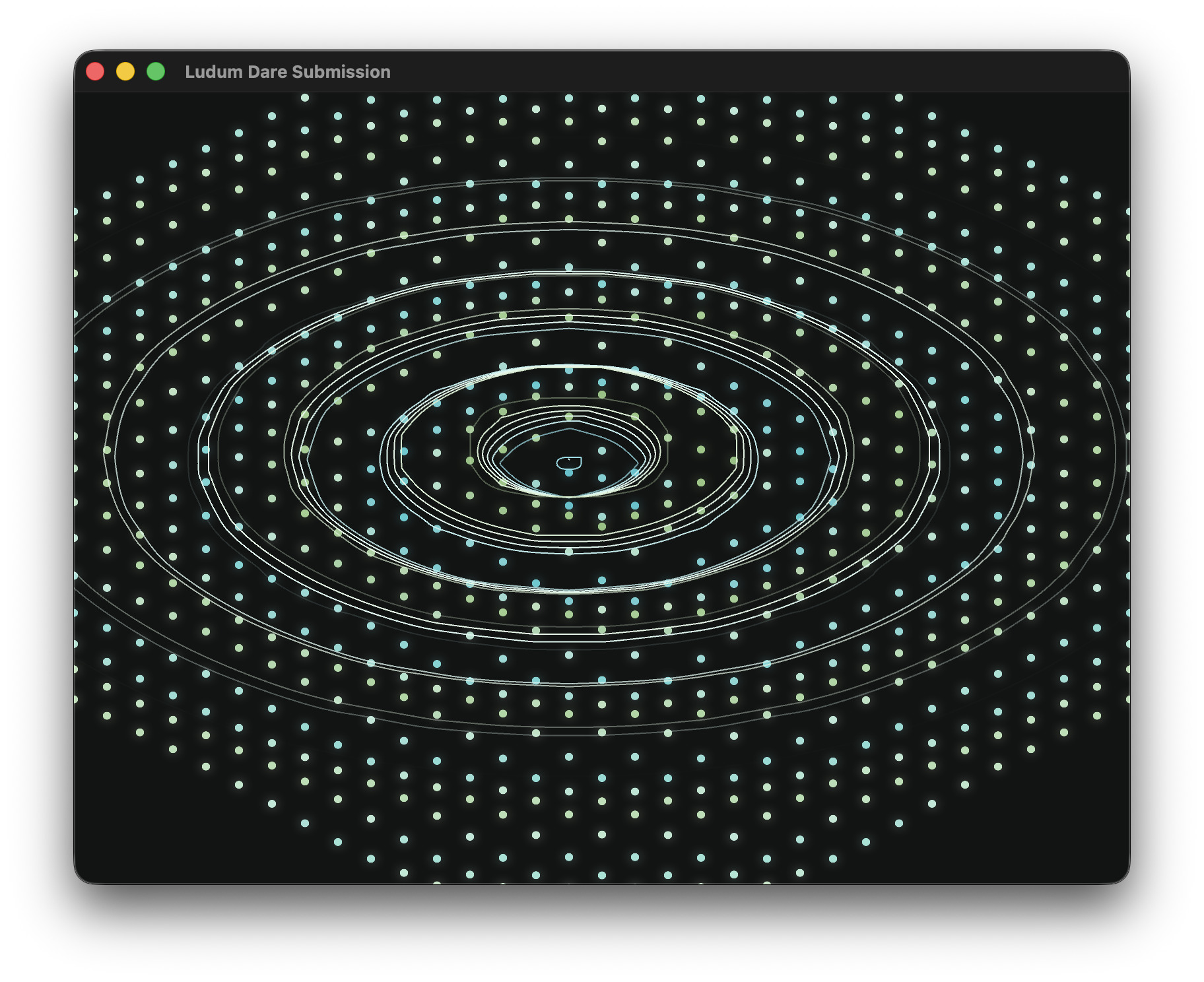
In this initial demo of the concept, I placed a broadcast beacon at the map center which calculates the state of a radial sine wave every frame. The maximum range of the sine wave grew over time, creating a visual ripple effect across the screen.
Engine Upgrades
In between concept work, I spent the remainder of my time on day one reviewing my work from the prior Ludum Dare, and deciding which features of that work to permanently promote into my game engine.
During the last jam for my game re:collect, I created a pseudo-MIDI synthesis system so that audio track beats could be perfectly synchronized to in-game events—I thought tying sound to signal broadcasts could be neat, so this was the first feature to get promoted into my engine.
For re:collect, I also introduced more robust tile wavefront calculation logic, and new camera following logic for player sprites. Both of these were a shoe-in for promotion.
Day Two: Mechanic
AKA: "Make it run"
Day two of the event is when I bring the core mechanic to life and make the game playable.
It was also the day I began to deeply regret my choice of mechanic:
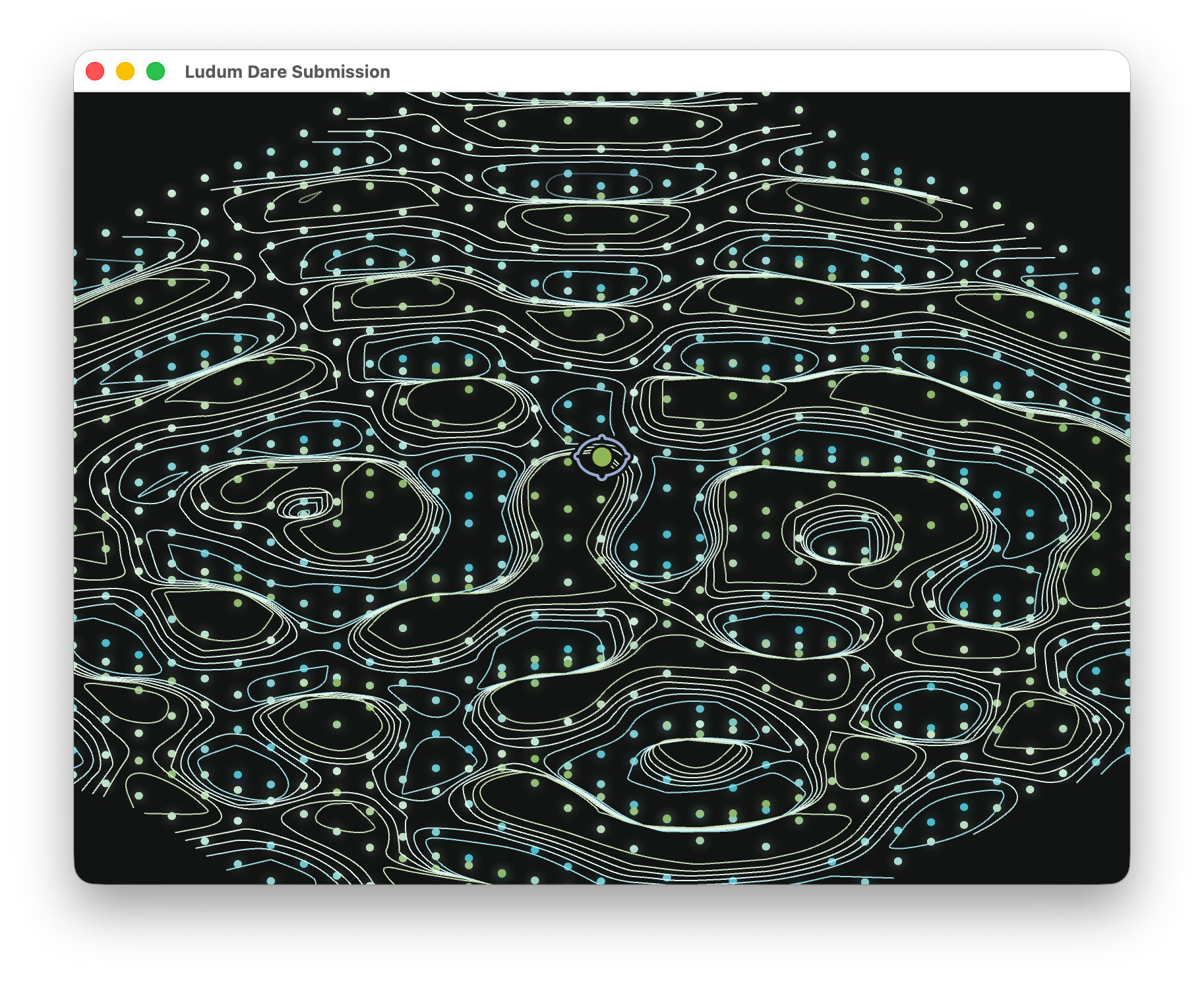
Beautiful chaos. A fully dynamic 3D topographic map rendering in my functionally 2D engine.
Contouring
Here's how it (roughly) works:
The simulated world map is a two-dimensional grid of tile heights.
When a sine wave is broadcast from somewhere on the grid, it spreads across the map, and the height of the sine wave at a given point in space is added to the corresponding tile height. Multiple sine waves can modify the height of the same tiles.
These tile heights are then used with the Marching Squares algorithm to generate renderable polylines along fixed height thresholds.
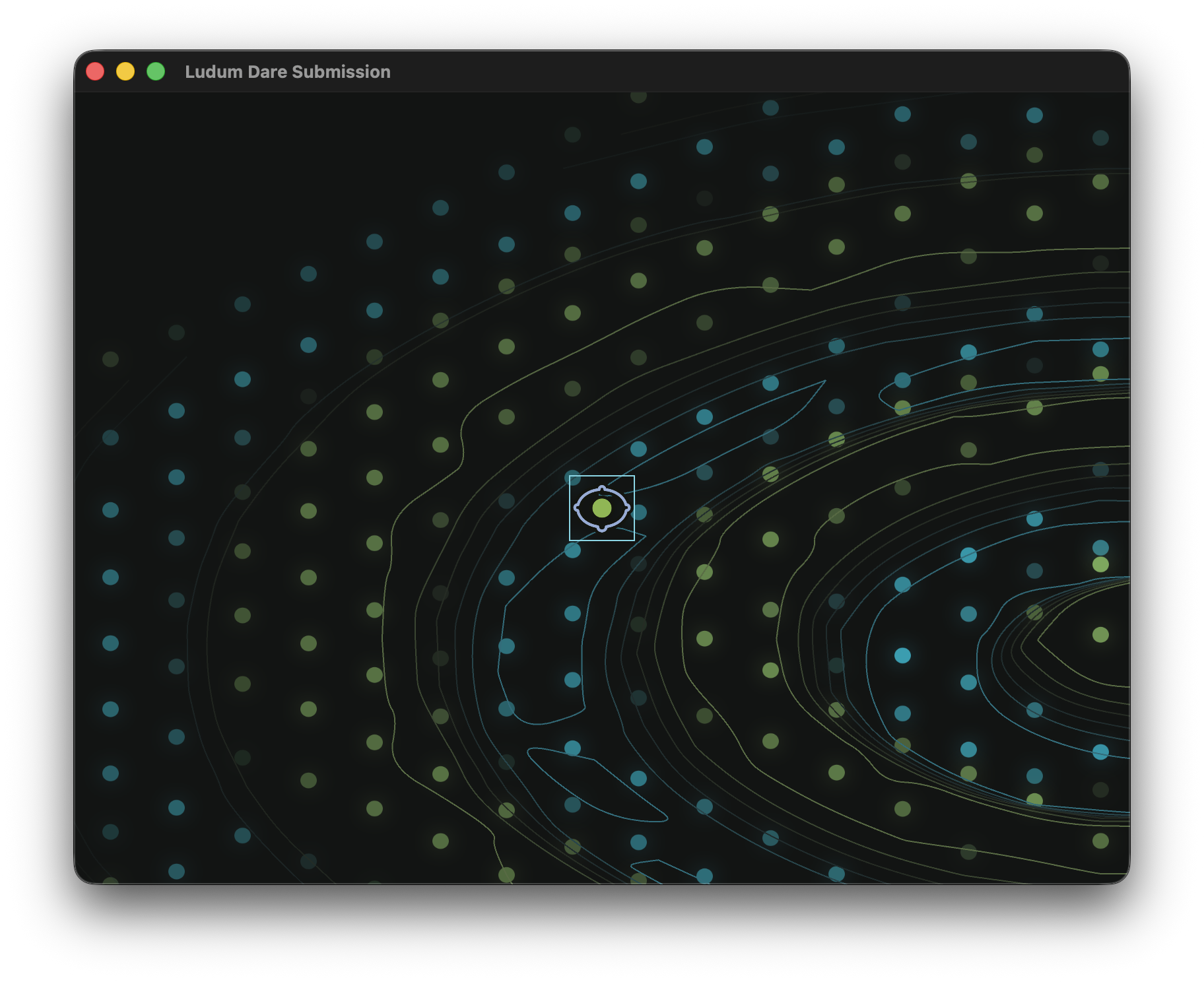
As you can probably infer from the image above, the final result was a bit overwhelming. I quickly revised the contour renderer to use a dark set of accent colors for the contour lines, using a gradient between blue and green based on the height of the line:
Colliding
I then proceeded to spend the remainder of the day figuring out collision: How do you make a 2D sprite collide with polylines in 3D space?
One trick I quickly learned was to quantize the height map so that every contour line falls within one of a few (in my case, seven) height "buckets".
While quantizing simplified the collision algorithm substantially—I only had to check if a sprite was on the same level as a contour line, instead of in some continuous threshold—the collision rules felt arbitrary in practice. Should a sprite be able to move between adjacent levels of contours? Or only onto contours that have a flat enough grade between steps?
Ultimately, I simplified the collision rules to the following:
The sprite can always move towards height
0: It can move up out of valleys, and down off of mountains.From height
0, the sprite cannot pass any contour lines.
The first rule ensures players can't get stuck if the terrain under the sprite unexpectedly changes, while the second rule effectively makes contours impassable—vastly simplifying level design, too!
Casting
With contours and collisions working (mostly) as expected, the final hurdle was the interactive mechanic: Casting signals to modify terrain.
I initially planned to cast signals in every direction (a circle) around the player, which would be truer to how signals travel in the real world. This behavior can be seen in the faint grey circles around the player sprite in this image:
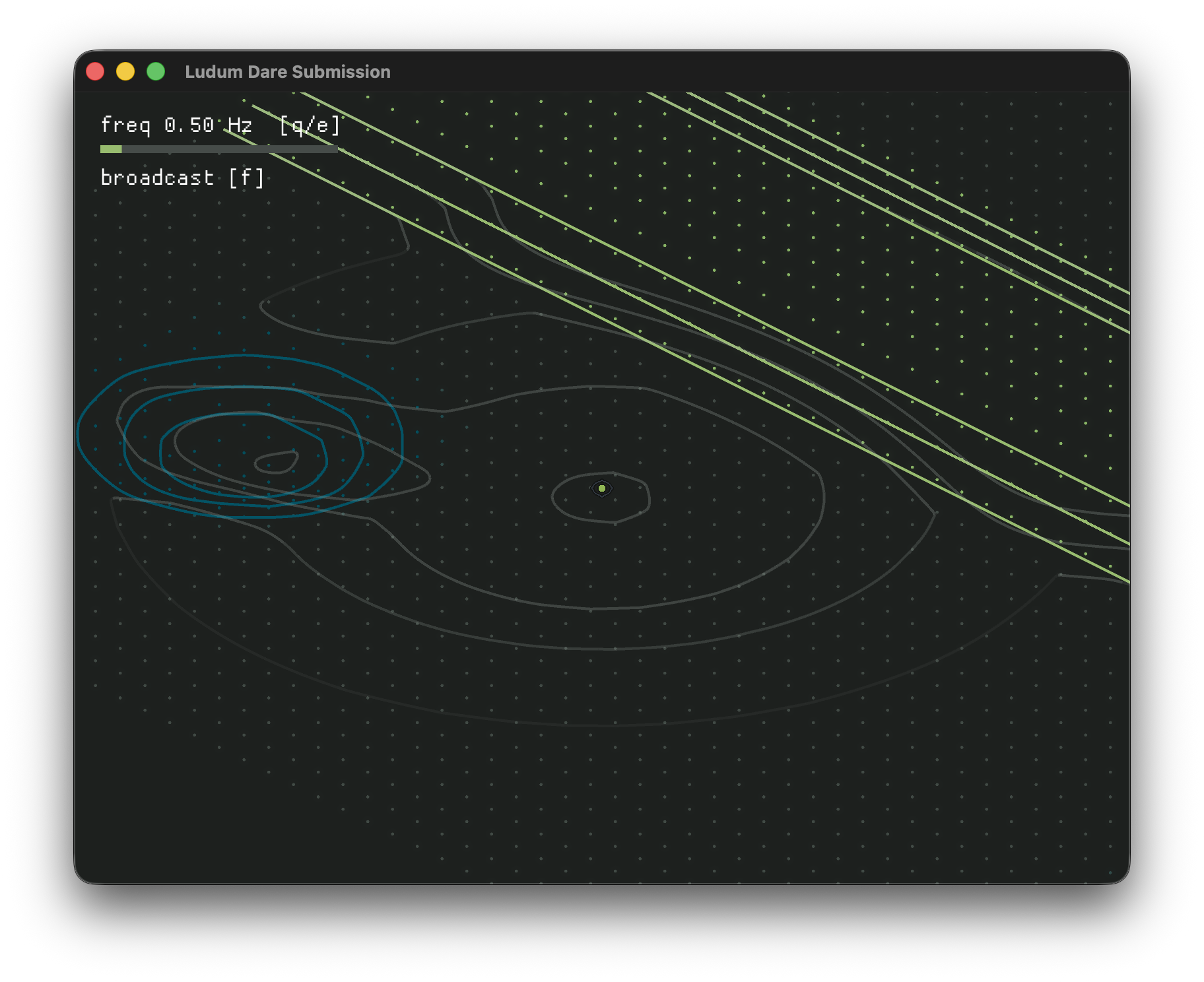
However, this behavior resulted in massive and semi-unpredictable terrain changes during each broadcast—it felt less like intentionally casting a signal towards a goal, and more like sandblasting the topography into submission.
So, I modified the casting behavior to be a narrower directed cone (the orange area in this screenshot):
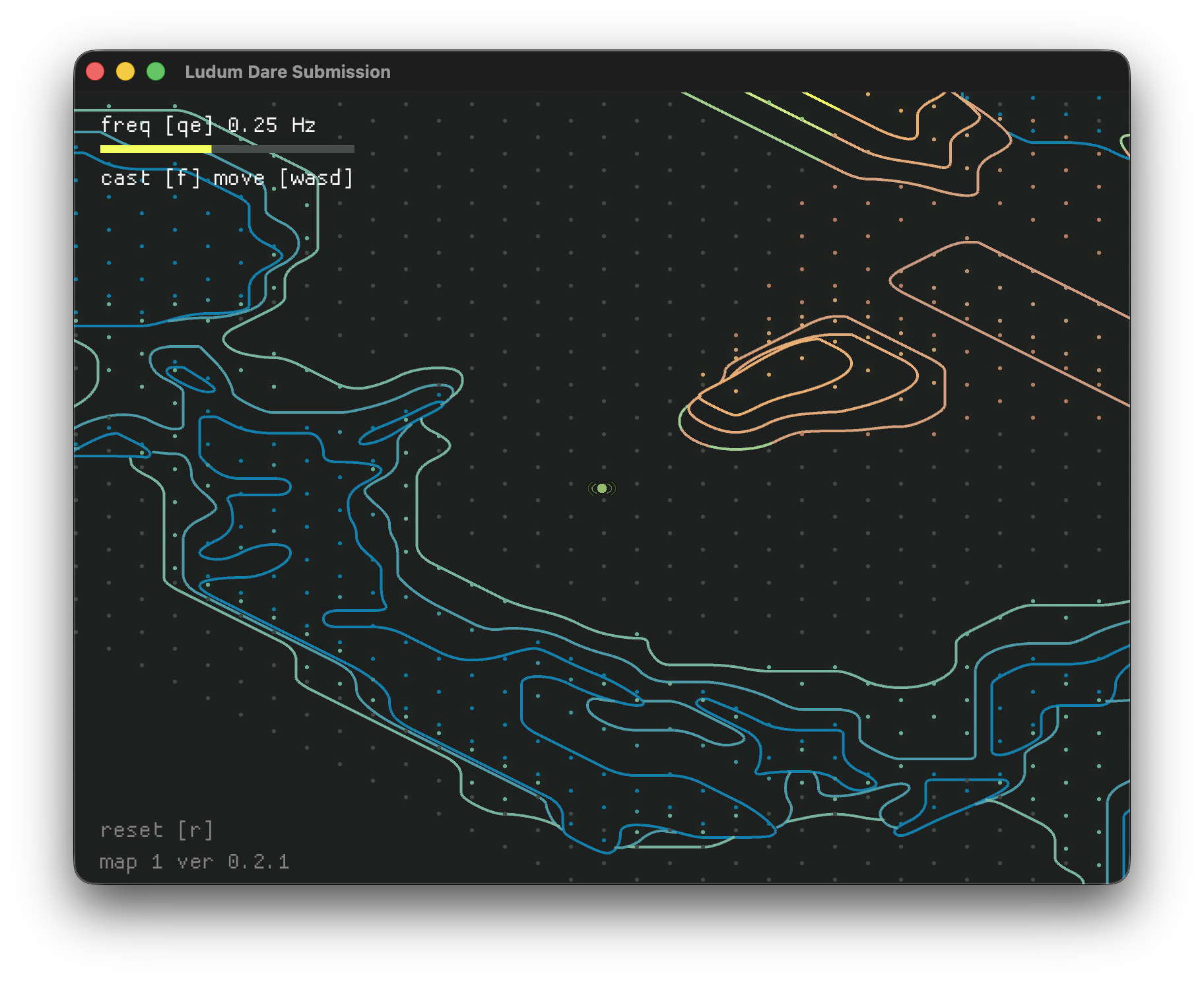
I initially thought about making the direction of the cone directly controllable with an additional keybinding, but then I thought about mobile players: How would they control it on a touchscreen?
I could reserve the left half of the screen for movement, and the right half of the screen for directing the casts, but that felt unintuitive. Plus, how would the casting action itself be triggered?
To circumvent this issue, I settled on a compromise that actually made the gameplay more interesting: Casts are always made towards the beacon.
Attuning
Once I was mostly satisfied with the casting functionality, I wanted to add one more layer of interactivity: Tuning the signal to change its shape.
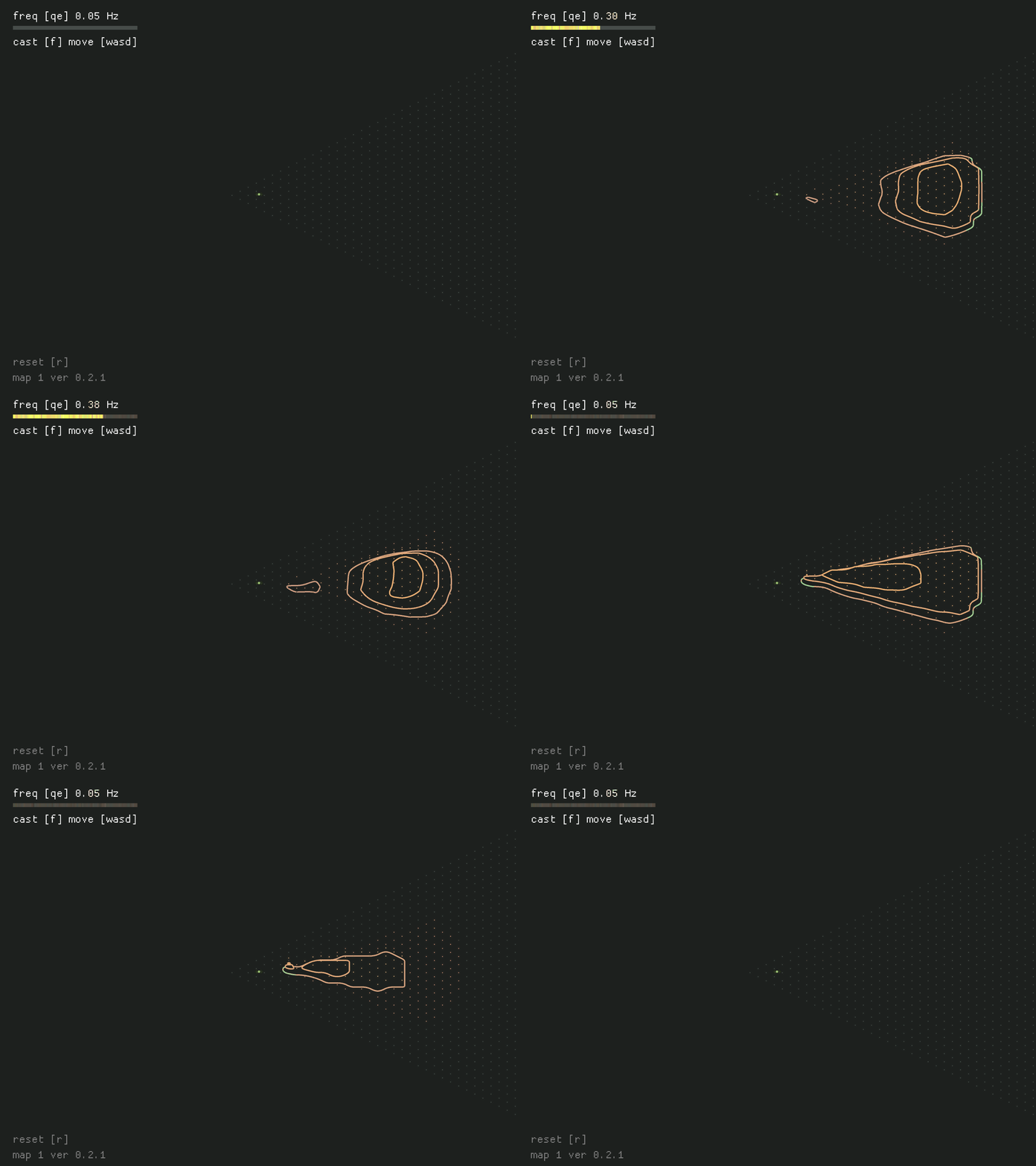
The tuning logic is simple, acting as a scaler of the signal wavelength (spacing between peaks and valleys) and the intensity of its fall-off. You can see the full tuning range here:
Day Three: Content
AKA: "Make it right"
The final day of my jams is always the...least documented. Mainly because it's full of last-minute polish, and realizing I forgot to create content for the game.
I spent the first part of the day frantically piecing together test maps using my "Pixel Design" method. Essentially, I create tiny bitmaps using pixel art editors, where each color of pixel denotes a different terrain feature:

In the example above, blue tiles represent valleys, the green tile represents the player spawn location, and the red tile represents the beacon location. This example renders the following in-game map:
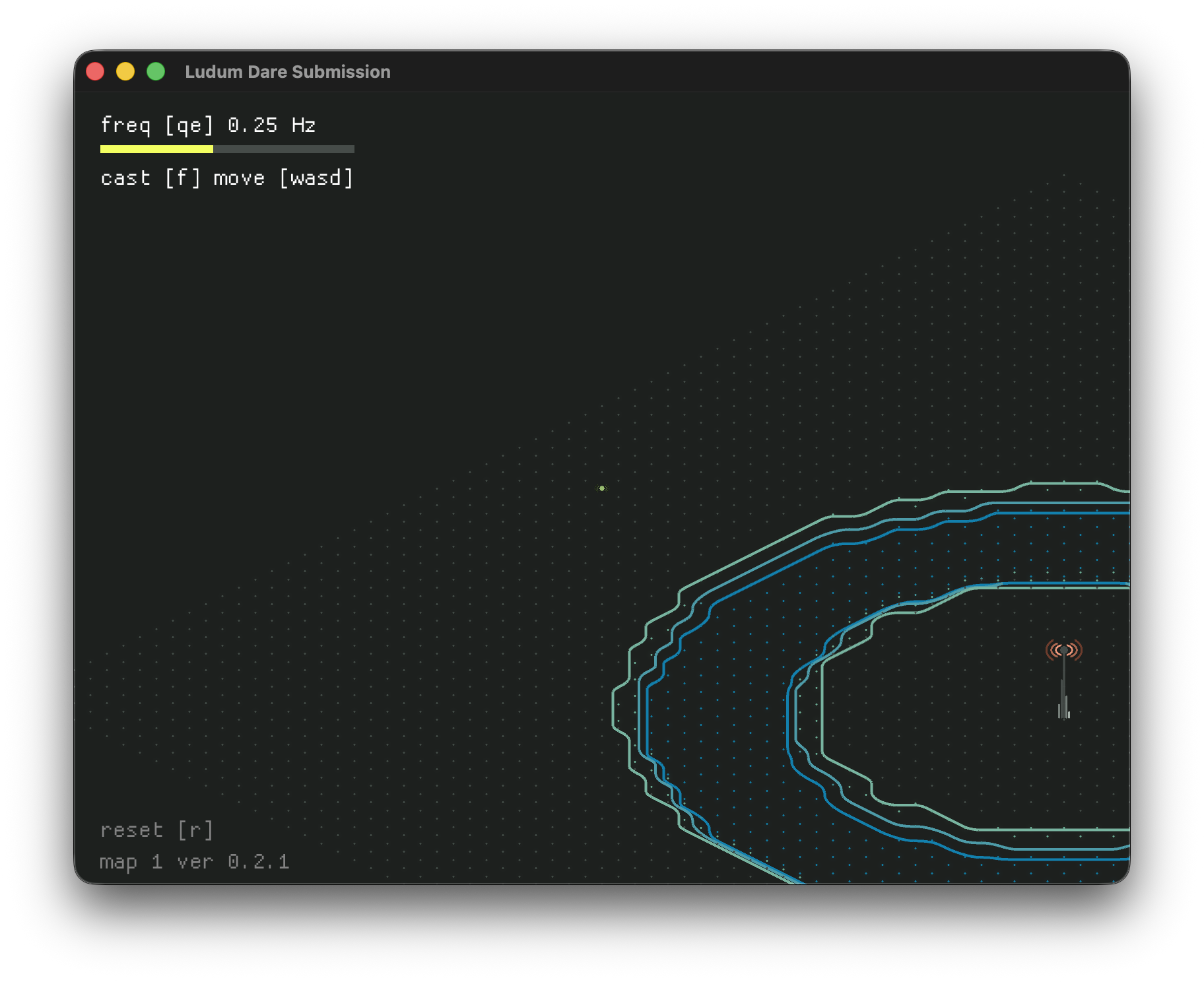
Once I had ~20 maps created, and was able to playtest all of them, I set out to polish the remainder of the game. That included:
Creating custom sprites for the beacons and player (I'd been using placeholder art until this moment).
Creating sound effects for tuning and casting.
Creating the soundtrack.
As is often the case, all of this polish becomes a frantic "draw the rest of the owl moment" in the final hours of the event—I found myself hastily drafting sprites in Affinity Designer, composing my soundtrack, and wiring everything up into a complete package.
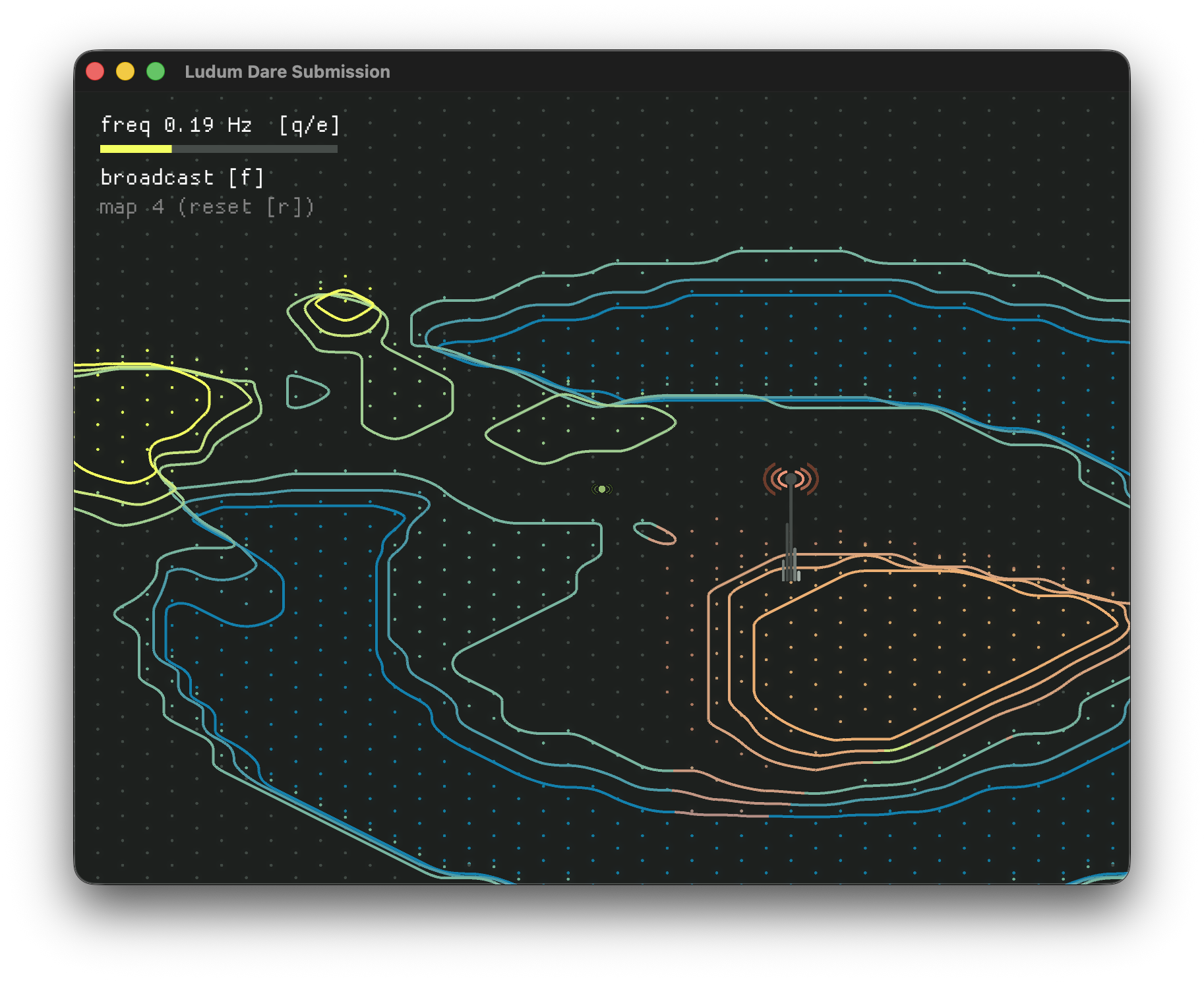
But, at the very end, I was left with a lovely and mostly complete submission.
After the Jam
In the hours and days immediately following the jam submission deadline, I like to add additional polish to the title that didn't quite make it into the jam version.
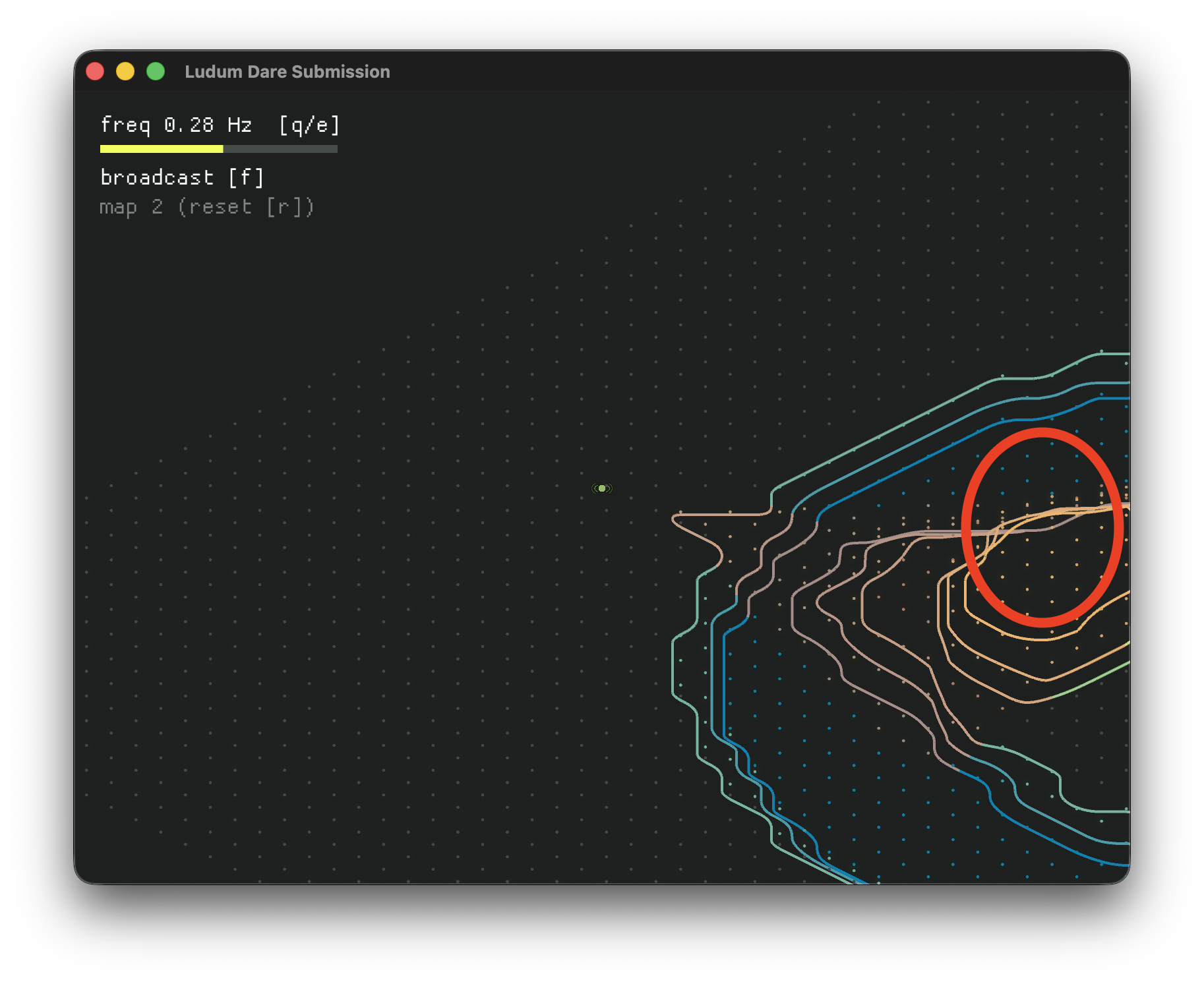
The biggest visual miss in the jam submission was a lack of depth-sorted rendering and occlusion. In particular, contour lines that should be hidden "behind" other contours instead show through them:
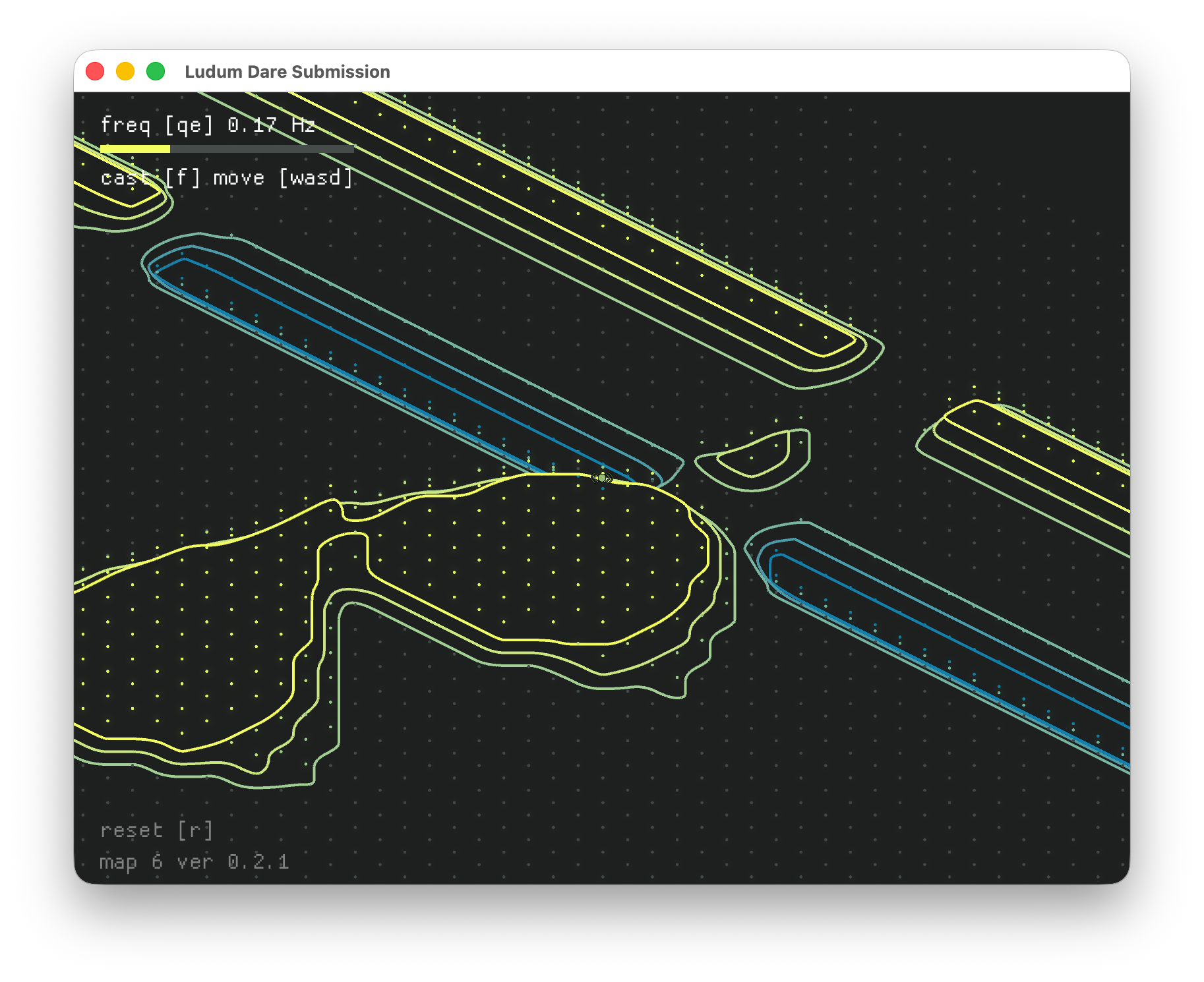
Using PNPOLY during the final rendering pass, I'm able to selectively hide line segments with midpoints that would fall inside contour rings with greater absolute heights:
In parallel, I also built something I've been wanting to build since my first game jam: A native GIF recorder! And I'm happy to report that I did.
The animated GIFs in this article were all recorded using this recorder, which simply captures the in-game frames as they're being rendered, and stitches them into a GIF (with some fancy logic to skip duplicate frames and lower the framerate).
Reflections
This was my first time stretching my gameplay into a third dimension (though the third dimension was mostly cosmetic)—and I'm really happy with how it turned out!
My players widely praised the aesthetic, mood, and music of the game. As you might be able to tell from this article, most of my time was spent on the visuals—so I'm very happy they were well received.
Feedback from my players revealed that my core gameplay mechanic (casting) was confusing and unintuitive...but also mesmerizing.
I think these playability issues can be explained by a few things:
The collision rules in the first version of the game were overly strict: I drew a bounding box around the sprite, and detected if any section of it would intersect a contour line—if it did, the movement would be blocked.
In practice, this rule meant that the player often couldn't move through gaps that looked big enough to pass through.
The fix, which I've already made: Relaxing the collision rules to allow the player move anywhere, so long as the center of the player sprite doesn't intersect a contour line. It's not quite as "realistic", but fun matters more than that.
The casting mechanic originates several tiles away from the player's location, which makes it difficult to modify terrain near the player.
This behavior is a hold-over from when the casting created a circle around the player. Without the offset, the terrain the player was standing on would be dramatically impacted by casts, leading to some silly visuals.
The fix, which I'm considering: Moving the cast origin closer to the player.
The final issue is a bit more complicated: The shape of casts themselves. Right now, they're modeled very literally after a sine wave. However, I get the sense that their sine-wavy shape isn't particularly helpful or intuitive to players.
Which means my next fix will probably be to overhaul how the cast signals are shaped. My initial thoughts are to make the cast's height constant across the entire length of the cast—I'll just need to figure out how tuning should affect the intensity and length of the height change.
But first: I have a lot of jam-driven spaghetti code to untangle.
be the first to get my insights on tech:
Read My Substack
and follow me on social media
all views expressed are my own, and
don't reflect those of my collaborators or employers
© With Caer, LLC 2026
